One window, the whole workflow
Start from an issue, work with an agent in your repo, review the diff, commit the change, open a pull request, and check CI without rebuilding your workspace across tabs.

Full Software Workflow in One App
Zide brings code, Git, issues, pull requests, CI, terminals, projects, and AI agents into one native desktop workspace. Choose the models that fit your work. Bring your own keys, use included credits, or run local models. Work across GitHub, GitLab, and Bitbucket without rebuilding context every time you switch tools.
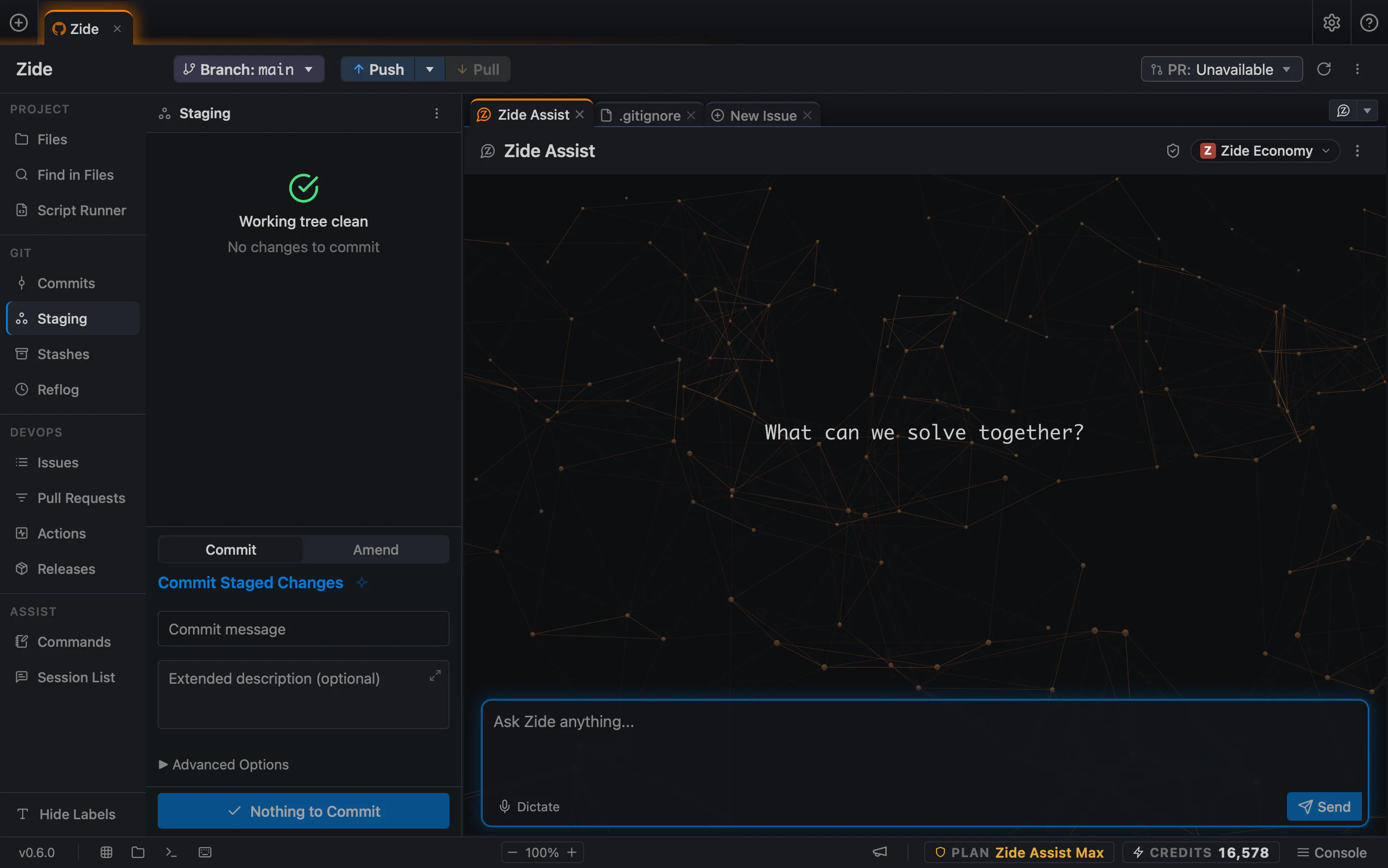
AI can help write code, but development also moves through issues, branches, diffs, pull requests, CI, terminals, model choices, and multiple projects. Zide gives that work one place to live.
Start from an issue, work with an agent in your repo, review the diff, commit the change, open a pull request, and check CI without rebuilding your workspace across tabs.
Zide is built around the repositories and workspace state developers already use. Projects, files, issues, diffs, terminals, AI-assisted work, Git, CI, and pull requests stay visible in one workflow environment.
Built with Tauri and Rust, Zide runs as a fast, lightweight desktop app. Open your repo, keep your layout, run terminals, review diffs, and move through Git, PRs, and CI without living in browser tabs.
Download ZideZide Assist works across supported model providers. Switch by task, bring your own API keys, use your own model subscriptions, use included credits, or run local models. Pick the model for the work. Keep the workflow in Zide.
Explore Models ZideZide Models
 AnthropicClaude
 OpenAICodex
 GoogleGemini
 xAIGrok
 DeepSeekDeepSeek
Start with an issue. Ask the agent to work in your repo. Review the diff. Stage the change. Open the pull request. Check CI. Zide keeps the work around the code in one place, so you are not rebuilding context across an editor, terminal, Git client, browser tabs, and AI chat.
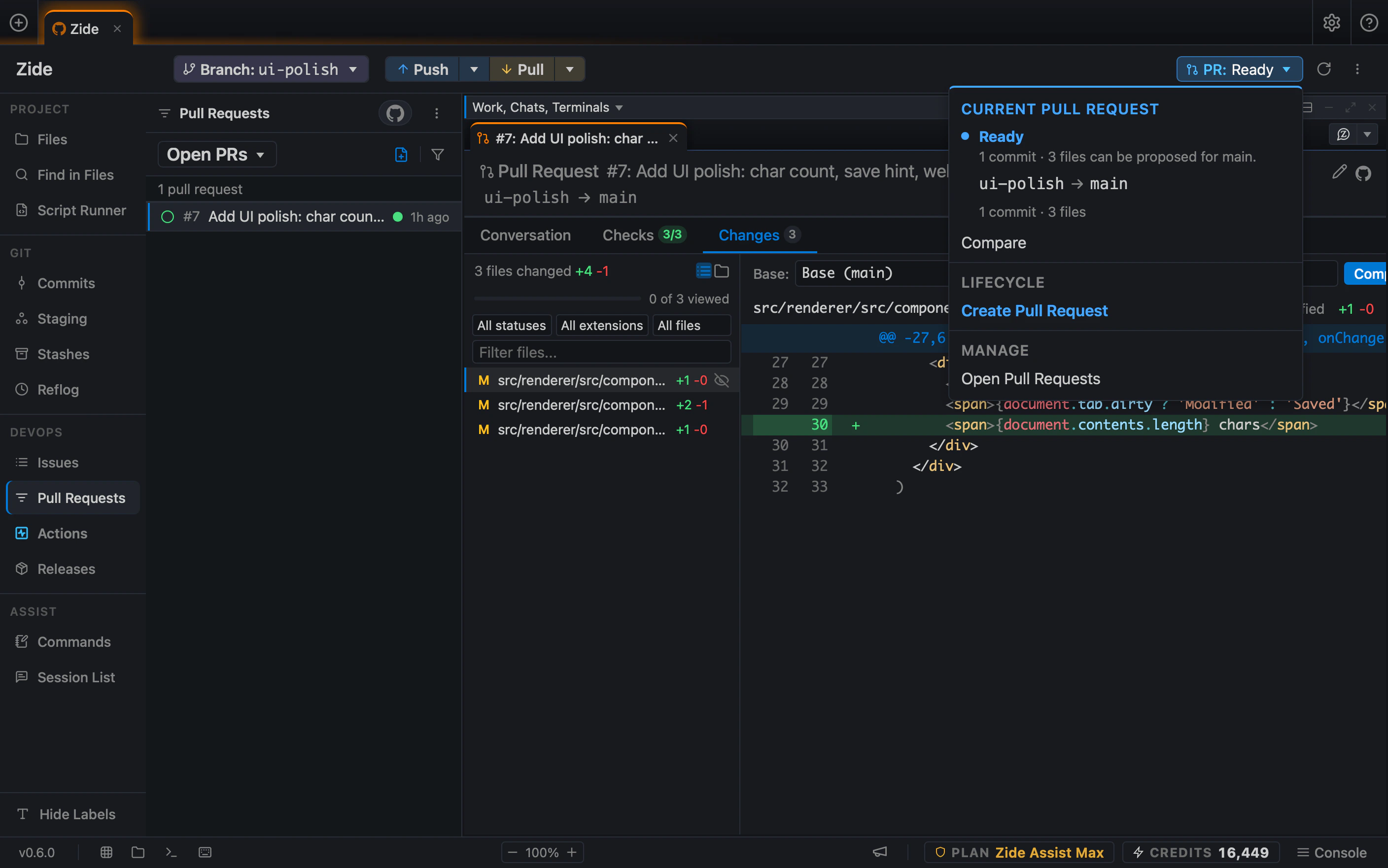
Start with the developer workflow you want to improve.
Use the model that fits the task, work directly in your repo, and review every change before it ships. Zide keeps the agent, code, Git, pull requests, and CI in one workspace so you can move from issue to implementation without rebuilding context across tabs. Work with Zide Assist or supported CLI agents while keeping your code, Git state, terminals, and project context in one place.
Zide Assist works across files and repositories. Ask it to follow a plan, make changes, run commands, and return the result as a reviewable diff.
You stay in control of what gets applied, committed, and shipped.
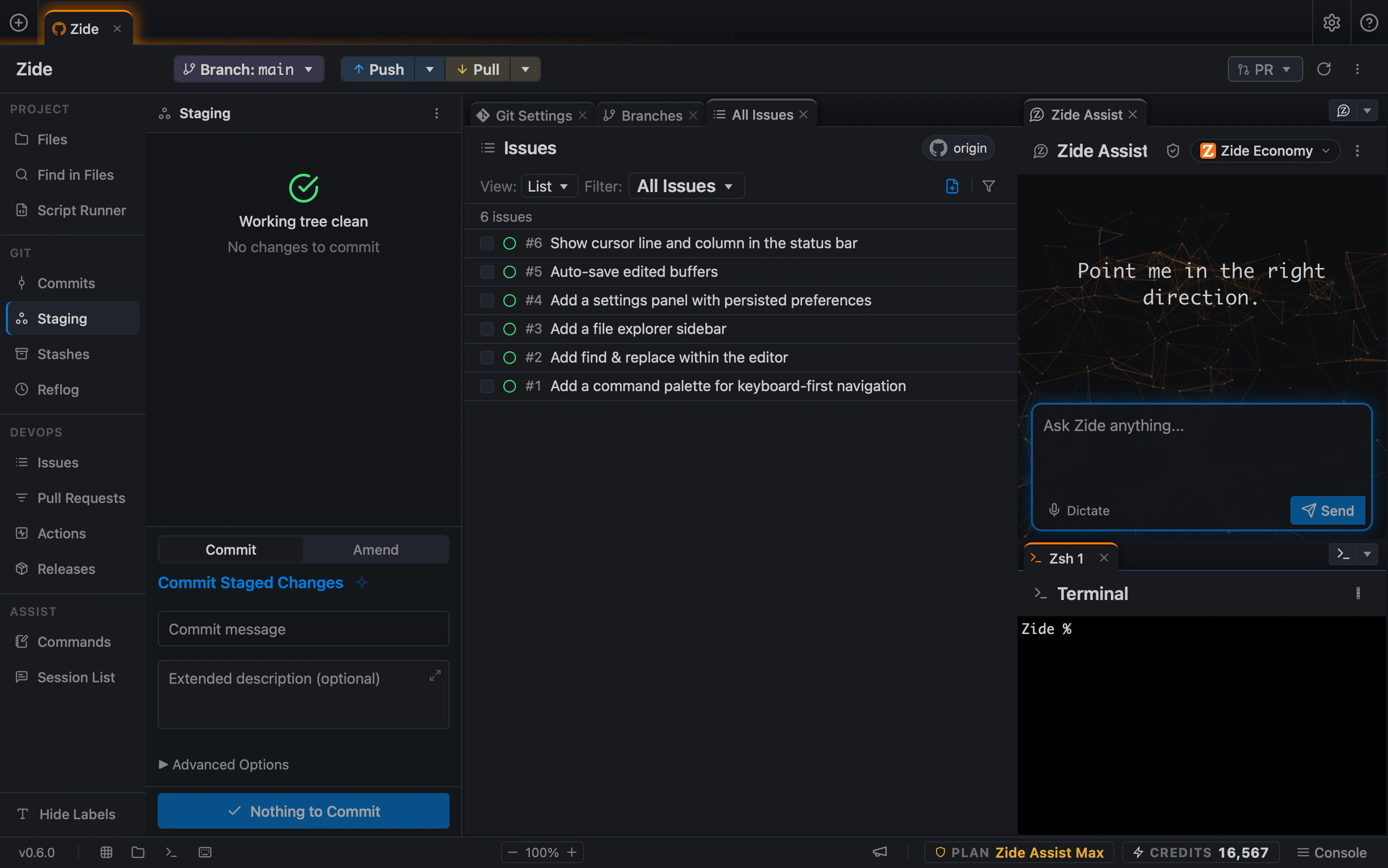
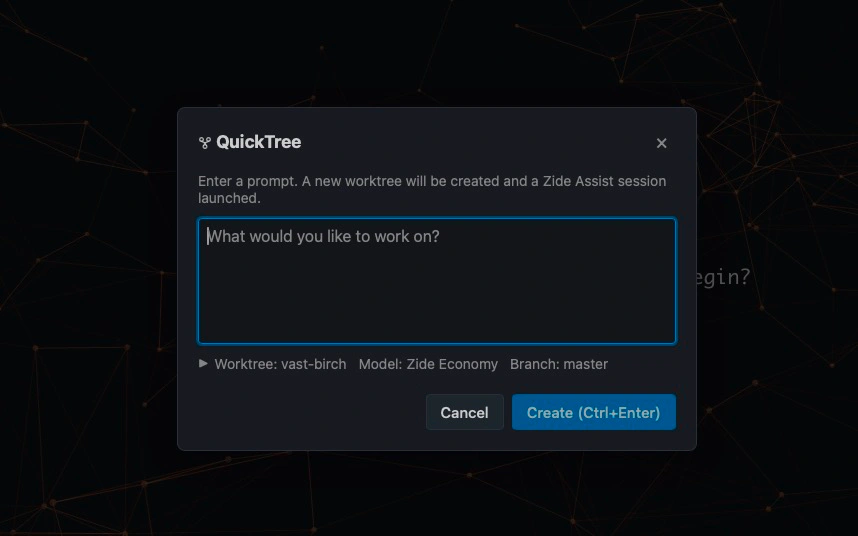
Create a worktree from a prompt. QuickTree creates the worktree and opens the prompt in a new Zide Assist session.
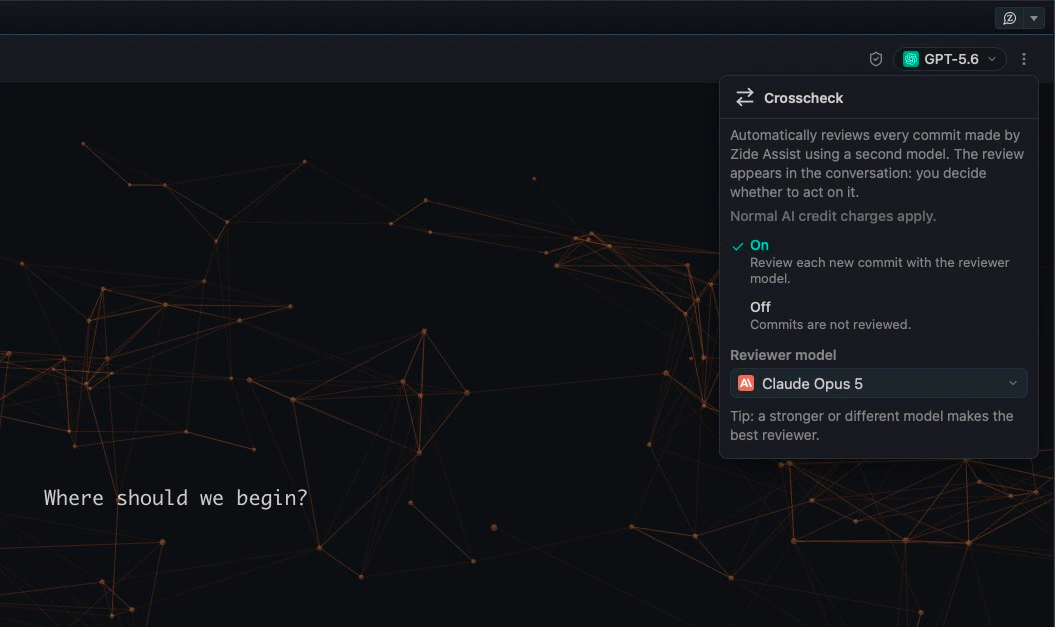
Use one model for the work and another to review it. Crosscheck lets a second model automatically check the result and provide feedback.
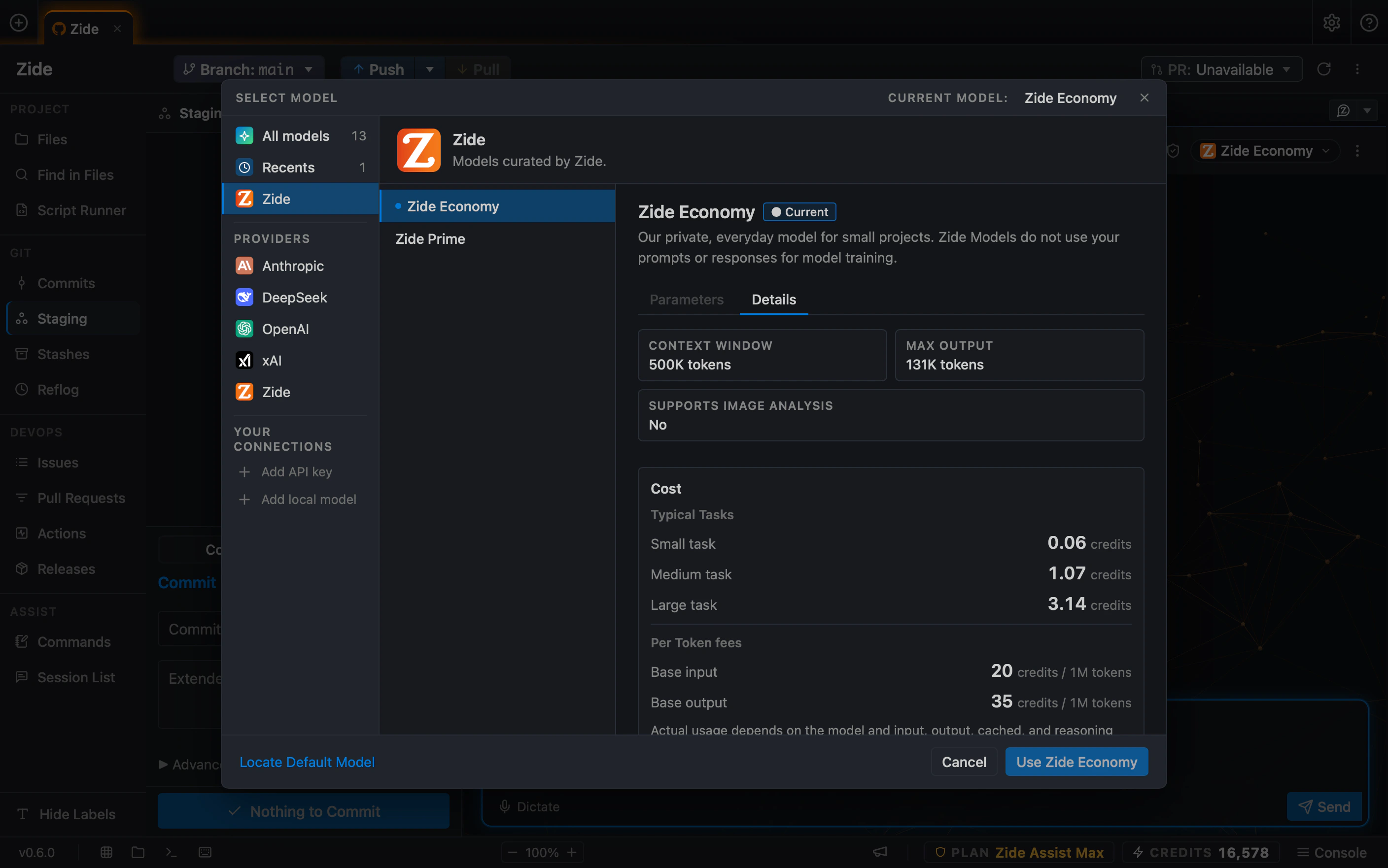
Zide Assist works across supported model providers. Switch by task, bring your own API keys, use your own model subscriptions, use included credits, or run local models. Pick the model for the work. Keep the workflow in Zide.
Model access options include:
Bring your own API keys and local models are available on Zide Standard and above.
Zide is free to download and use. As your workflow grows, paid plans add more workspace capacity, expanded Zide Assist access, included AI credits, and perpetual license eligibility.
Open your projects and use the core Zide workflow at no cost.
Upgrade when you need more workspace capacity and expanded Zide Assist access.
Eligible paid plans can include AI credits and perpetual license eligibility.
Keep code, terminals, Git, AI, pull requests, and CI connected in one desktop app.


